M3U: How to Add EPG Guide to Playlist 🗓️
You have your M3U playlist, but it feels empty without a TV guide. An EPG (Electronic Program Guide) is like a map for your channels. It shows you what’s on now and next. This guide is for power users who want to unlock the full potential of their setup. Let’s make your playlist smart! 😊
Why Power Users Need This EPG Setup Guide 🚀
A basic playlist just gives you a list of channels. An EPG transforms it into a real TV experience. You can schedule recordings, see show descriptions, and never miss your favorite series. This guide helps you connect the dots for a seamless, professional viewing setup.
Understanding Streaming Risks: An Advanced Overview 🛡️
Streaming content online comes with its own set of challenges. It’s not just about finding a playlist. You need to think about where your data goes, who can see it, and the legal landscape of the content sources. Being informed is your first layer of protection.
Why Encryption Matters for Your Stream 🔒
Think of encryption as a secret code for your data. When your stream is encrypted, it’s much harder for outsiders to see what you’re watching or steal your information. A good service will use strong encryption to keep your connection private and secure.
VPN Selection Criteria: Your Digital Cloak 🧥
A VPN (Virtual Private Network) is a powerful tool. But not all are equal. Look for these features:
- No-Logs Policy: The provider should not record your online activity.
- Strong Speeds: Slow VPNs mean buffering videos.
- Reliable Connection: It should not drop out in the middle of a movie.
- Good Server Spread: More server locations give you more options.
Secure Payment Methods: Paying with Peace of Mind 💳
When you pay for a service, use methods that protect you. Credit cards often have fraud protection. Privacy-focused options like cryptocurrency can add an extra layer of anonymity. Avoid direct bank transfers to unknown parties.
Identifying Safe vs. Risky Services 🕵️
How do you spot a good service? Safe providers are transparent. They have clear terms, offer customer support, and don’t make impossible promises like “all channels for $5 forever.” Risky services are vague, use only email for contact, and pressure you to pay quickly.
Protecting Your Digital Identity Online 👤
Your digital identity is valuable. Use unique, strong passwords for your streaming accounts. Consider using an alias or separate email address for signing up to services. The less personal info you tie to your viewing habits, the better.
Data Privacy Best Practices for Streamers 📊
- Regularly clear the cache and data of your streaming app.
- Use a firewall on your device to control what data goes in and out.
- Keep your streaming device’s software updated for the latest security fixes.
- Be cautious of apps that ask for unnecessary permissions.
Safe Usage Checklist: Final Recommendations ✅
Before you start, run through this list:
- Your VPN is connected to a secure server.
- You have a reliable M3U playlist URL from a trusted source.
- You have a matching EPG guide URL (often provided by your service).
- You are using a reputable player app that supports M3U and EPG.
- Your device’s security settings are up to date.
How to Add the EPG Guide: Simple Steps 🛠️
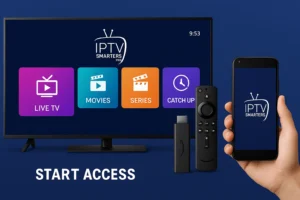
The exact steps depend on your player app (like IPTV Smarters, VLC, or TiviMate). The general process is always the same:
- Get Your Links: You need two URLs: one for your M3U playlist and one for your EPG (XMLTV format). Your provider should give you both.
- Open Your Player App: Go to the settings or playlist management area.
- Add Playlist: Enter the M3U URL. Name your playlist (e.g., “My Channels”).
- Add EPG Source: Look for an “EPG Settings” or “Electronic Guide” option. Paste the EPG URL there.
- Load & Enjoy: Save the settings. The app will download the guide data. Now your channel list has full program info!
Troubleshooting Common EPG Problems 🔧
Problem: The guide is empty or shows “No Information.”
Fix: Check your EPG URL is correct. Try manually updating the guide in your app’s settings. The EPG source might be temporarily down.
Problem: The guide times are wrong.
Fix: Look for a “Timezone Offset” or “EPG Shift” setting in your app. You can adjust it by +1 or -1 hours until it matches.
Problem: Some channels have guide data, but others don’t.
Fix: The EPG might not cover all channels in your playlist. You may need to find a more complete EPG source or ask your provider.
Ready for the Best Experience? 🎬
Managing playlists and guides is easy with the right software. For a smooth, feature-packed, and user-friendly way to enjoy your content, consider using a professional player.