Is IPTV Smarters Pro Safe & Legal? Complete Guide 2026 🧐
Welcome, streamer! You’ve probably heard about IPTV Smarters Pro – the popular app that turns your device into a TV powerhouse. But the big questions loom: Is it safe to use? And more importantly, is it legal? This guide for 2026 cuts through the noise. We’ll give you the straight facts, show you how to set it up correctly, and help you enjoy your content with peace of mind. Let’s dive in! 😊
📋 Prerequisites: What You Need Before Starting
Before you get excited and hit download, let’s make sure you have everything ready. Think of this as your pre-flight checklist! ✅
- A Compatible Device: Smart TV (Android TV/Google TV), Firestick, Android phone/tablet, or iOS device.
- A Stable Internet Connection: We recommend at least 15 Mbps for HD streaming.
- Your IPTV Subscription Details: This is CRITICAL. You must have a paid subscription from a legitimate IPTV provider. The app is just a player; it needs a source.
- Basic Tech Savvy: Knowing how to install apps outside official stores (sideload) is helpful.
💡 The Legal & Safety Lowdown: The IPTV Smarters Pro app itself is a legal tool, much like a web browser. Its safety and legality depend entirely on the content source (your provider). Using it to access pirated or unlicensed content is illegal. Always ensure your provider holds the proper broadcasting rights.
🔧 Step 1: Preparing Your Device for Installation
First, we need to get your device ready. The steps vary slightly depending on what you’re using.
For Android TV / Firestick:
Go to Settings > My Fire TV > Developer Options and turn ON “Apps from Unknown Sources”. This allows installation from outside the Amazon Appstore.
For Android Mobile:
Navigate to Settings > Security and enable “Unknown Sources” or “Install unknown apps” for your browser or file manager.
For iOS (iPhone/iPad):
You’ll need to use a service like TestFlight or the official App Store version if available. The process is more restricted on iOS.
⬇️ Step 2: Downloading the Application
Now, let’s get the official app. Always download from the official source to avoid malware.
- On your device, open a web browser (like Downloader or Silk Browser).
- Visit the official website: https://iptv-smarterspro.org/
- Find the download link for your device (e.g., “Download for Android APK”).
- Tap the link and install the application. You may see a security warning; this is normal when sideloading. Proceed if you trust the source.
⚠️ Safety Tip: Avoid third-party “modded” or “cracked” APK sites. These often contain viruses or spyware. Stick to the official site for a clean, safe app.
⚙️ Step 3: Configuring Server Settings
Open the IPTV Smarters Pro app. You’ll be greeted with a login screen. Here’s how to fill it in:
- Select Login Method: Choose “Login with Xtream Codes API” (most common).
- Enter Credentials: Input the URL, username, and password provided by your legitimate IPTV service. This info is unique to your subscription.
- Optional – Portal URL: Some providers use a different “Portal” login method. Use the one they specify.
Double-check for typos! This is the number one cause of login failures.
📺 Step 4: Loading Your Playlist
After successful login, the app will load your playlist (channels and VOD) automatically from your provider’s server. 🎉
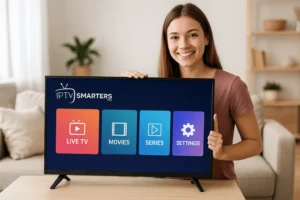
Navigate using the simple menu:
• Live TV for live channels.
• Movies or Series for on-demand content.
• TV Guide (EPG) for the program schedule.
Take a moment to explore the settings menu. You can customize the player, parental controls, and more.
🚨 Troubleshooting Common Setup Errors
Hit a snag? Don’t worry, most problems have a simple fix.
| Problem | Likely Cause & Solution |
|---|---|
| “Invalid Credentials” | Typo in URL/username/password. Contact your provider to confirm details. |
| Buffering / Freezing | Weak internet. Check your speed, restart router, or try a lower video quality in the app’s settings. |
| No Channels Loaded | Subscription may have expired, or server is down. Contact your provider. |
| App Crashes on Open | Corrupted install. Uninstall, re-download from the official site, and try again. |
🚀 Optimizing for Best Performance
To get the silky-smooth streaming experience you deserve:
- Use a Wired Connection (Ethernet): If possible, connect your device directly to the router for maximum stability.
- Close Background Apps: Free up your device’s RAM for smoother playback.
- Update Regularly: Keep the IPTV Smarters Pro app updated to the latest version for bug fixes and new features.
- Choose the Right Player: In settings, experiment with the internal (Exo) player and external players like VLC to see which works best for your streams.
Ready to Start Streaming Safely? 🎬
Get the official, safe IPTV Smarters Pro app and ensure you pair it with a reputable, legal service provider.
✅ Conclusion & Next Steps: Recommendations for Families
So, is IPTV Smarters Pro safe and legal? Yes, the app itself is safe and legal software. Your safety and legality depend on you choosing a licensed IPTV provider. It’s a fantastic, powerful player when used correctly.
For Families: Use the built-in Parental Control features to lock specific content categories. Set up profiles for kids to ensure they only access age-appropriate channels and movies.
Your next step? Do your research, find a trustworthy provider, download the app from the official source, and enjoy a world of entertainment responsibly. Happy streaming! 📺✨