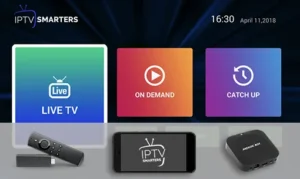
How to Install IPTV Smarters Pro App – Easy Setup [2026] 📺
Welcome! This guide will walk you through installing and setting up the powerful IPTV Smarters Pro app on your device. Whether you’re on a Firestick, Android TV, or phone, we’ve got you covered with simple, step-by-step instructions. Let’s get your favorite shows and movies streaming! 😊
🚀 Why Families Need This Subtitle Management Guide
IPTV Smarters Pro isn’t just another player. It’s a family-friendly hub that lets you manage multiple profiles, customize subtitles for kids or multilingual households, and create a personalized TV experience for everyone. This guide ensures you unlock all those features without the tech headache!
Prerequisites: What You Need Before Starting 🛠️
Before you begin, make sure you have these items ready:
- A Compatible Device: Android TV, Amazon Fire TV Stick, Android Phone/Tablet, or iOS device.
- Stable Internet Connection: A minimum of 15 Mbps for HD streaming is recommended.
- Your IPTV Subscription Details: This includes your Service URL (or Portal URL), username, and password. Get these from your IPTV provider.
- An App Store or Downloader App: Like the Google Play Store or the “Downloader” app for Firestick.
💡 Pro Overview
IPTV Smarters Pro is a premium, user-friendly application that allows you to watch live TV, VOD (Video on Demand), and series. Its clean interface, parental controls, and multi-screen support make it a top choice for families in 2026.
✅ Step 1: Preparing Your Device for Installation
First, we need to allow installations from “Unknown Sources” if you’re not using an official app store.
For Amazon Firestick / Fire TV:
- Go to Settings > My Fire TV > Developer Options.
- Turn ON “Apps from Unknown Sources”.
- Also, install the “Downloader” app from the Amazon Appstore.
For Android TV:
- Navigate to Settings > Security & Restrictions.
- Enable “Unknown Sources”.
📥 Step 2: Downloading the Application
Now, let’s get the app onto your device.
Method A: Official Website (Recommended for Latest Version)
- On your device’s browser (or via Downloader), go to: https://iptv-smarterspro.org/
- Find the download link for your device (Android APK or iOS).
- Tap “Download” and wait for the file to complete.
Method B: Google Play Store (For Android Phones/Tablets)
- Open the Play Store and search for “IPTV Smarters Pro”.
- Select the app by WHMCS Smarters and tap “Install”.
Once downloaded, open the installer and follow the prompts to install the app.
⚙️ Step 3: Configuring Server Settings
Open the IPTV Smarters Pro app. You’ll see a login screen.
- Select “Login with Xtream Codes API”. This is the most common method.
- You will now enter your provider’s details:
- Portal URL: Enter the server URL from your provider.
- Username & Password: Enter your subscription credentials.
- Tap “Add User” and then “Login”.
💡 Tip: If your provider uses an M3U playlist link, choose “Login with Playlist” instead. You’ll enter the URL in the next step.
🎬 Step 4: Loading Your Playlist
After successful login, the app will automatically load your channels and VOD content.
- Navigate through the menu: Live TV, Movies, Series, or TV Catchup.
- You can favorite channels for quick access.
- Use the Settings gear icon to customize subtitles, audio tracks, and parental controls.
That’s it! You’re now ready to stream. 🎉
🔧 Troubleshooting Common Setup Errors
Ran into a problem? Here are quick fixes:
- “Invalid Credentials” / “Connection Failed”: Double-check your Portal URL, username, and password. Ensure there are no typos.
- App Crashes on Launch: Clear the app cache (Device Settings > Apps > IPTV Smarters Pro > Clear Cache). Reinstall if needed.
- No Video / Audio: Try changing the video player in app settings (e.g., to VLC or EXO Player).
- Channels Not Loading: Check your internet connection. Contact your IPTV provider to confirm server status.
⚡ Optimizing for Best Performance
For a smooth, buffer-free experience:
- Use a wired Ethernet connection for your TV box if possible.
- Regularly clear the app cache from your device settings.
- Close other running applications on your device to free up RAM.
- Update the IPTV Smarters Pro app regularly for new features and bug fixes.
🎯 Conclusion & Next Steps: Recommendations for Families
Congratulations! You’ve successfully installed and configured IPTV Smarters Pro. To make the most of it for your family:
- Set up Parental Controls in the app settings to restrict content.
- Create multiple user profiles so everyone has their own favorites.
- Explore the Multi-Screen feature to watch different channels on multiple devices.
- Bookmark the official website for updates and support.
Get the Official App & Support
For the latest, secure version of IPTV Smarters Pro, always download from the official source.
👉 Download IPTV Smarters Pro Now
Ensure a safe and optimal streaming experience.
Note: This guide is for educational purposes. You must use IPTV Smarters Pro with a legitimate IPTV subscription that holds the necessary broadcasting rights.